Shows the capital gains tax calculation of the administration. Use it to simulate with your client how much a company could gain in value, and how much tax comes with it. See The capital gains tax.

Options

None. On a slide, the widget is split into two tabs to save space: Value Evolution and Tax Calculation. You can change the simulation live during the meeting, and save it. See Calculate the capital gains tax.

Where it fits

A large zone. Use a layout with one data zone, without a text zone: the widget needs the space.
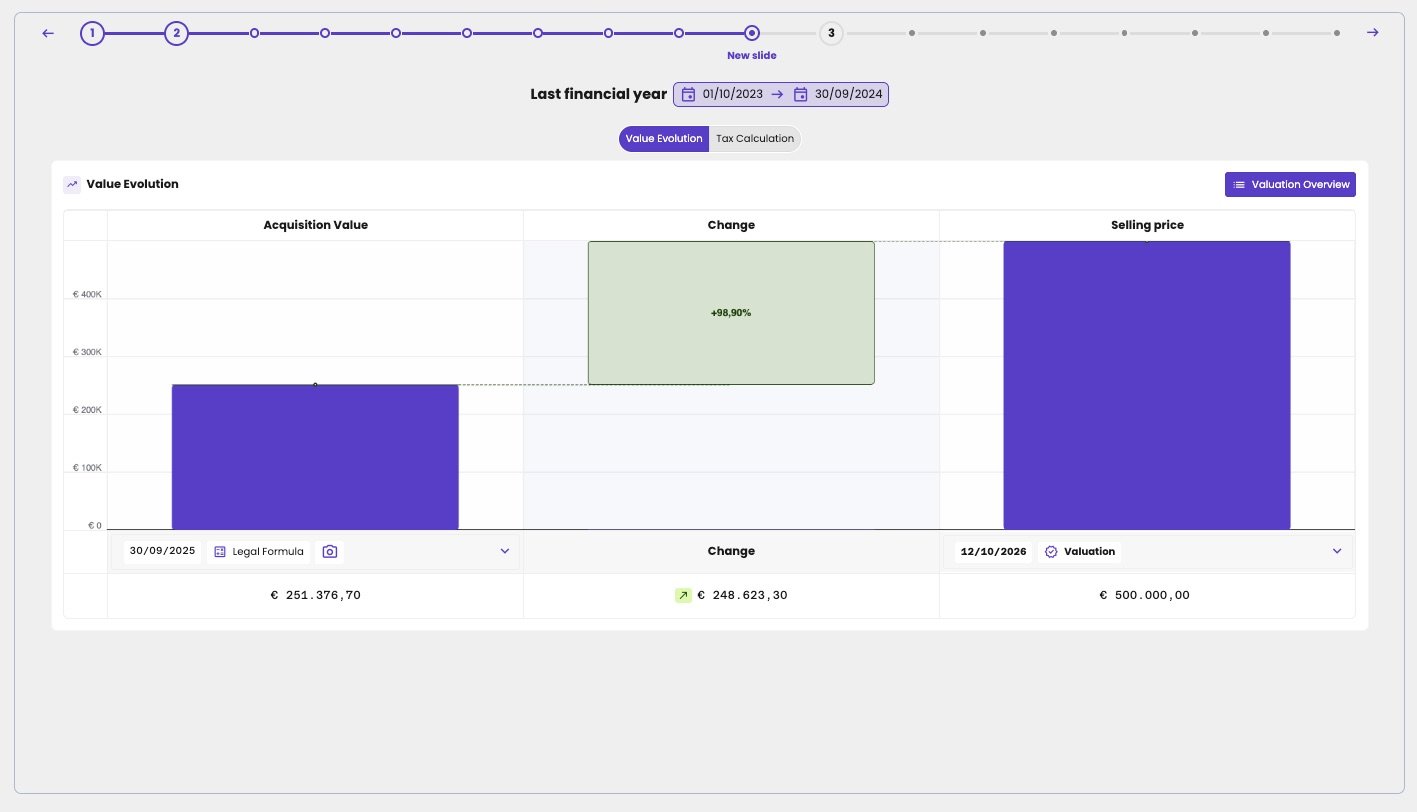
A slide for Last financial year with the tabs Value Evolution and Tax Calculation. The Value Evolution chart shows an Acquisition Value of €251,376.70 (30/09/2025, Legal Formula), a Change of €248,623.30 (+98.90%) and a Selling price of €500,000.00 (12/10/2026, Valuation), with a Valuation Overview button.

The Capital Gain Tax widget on a slide, on the Value Evolution tab.