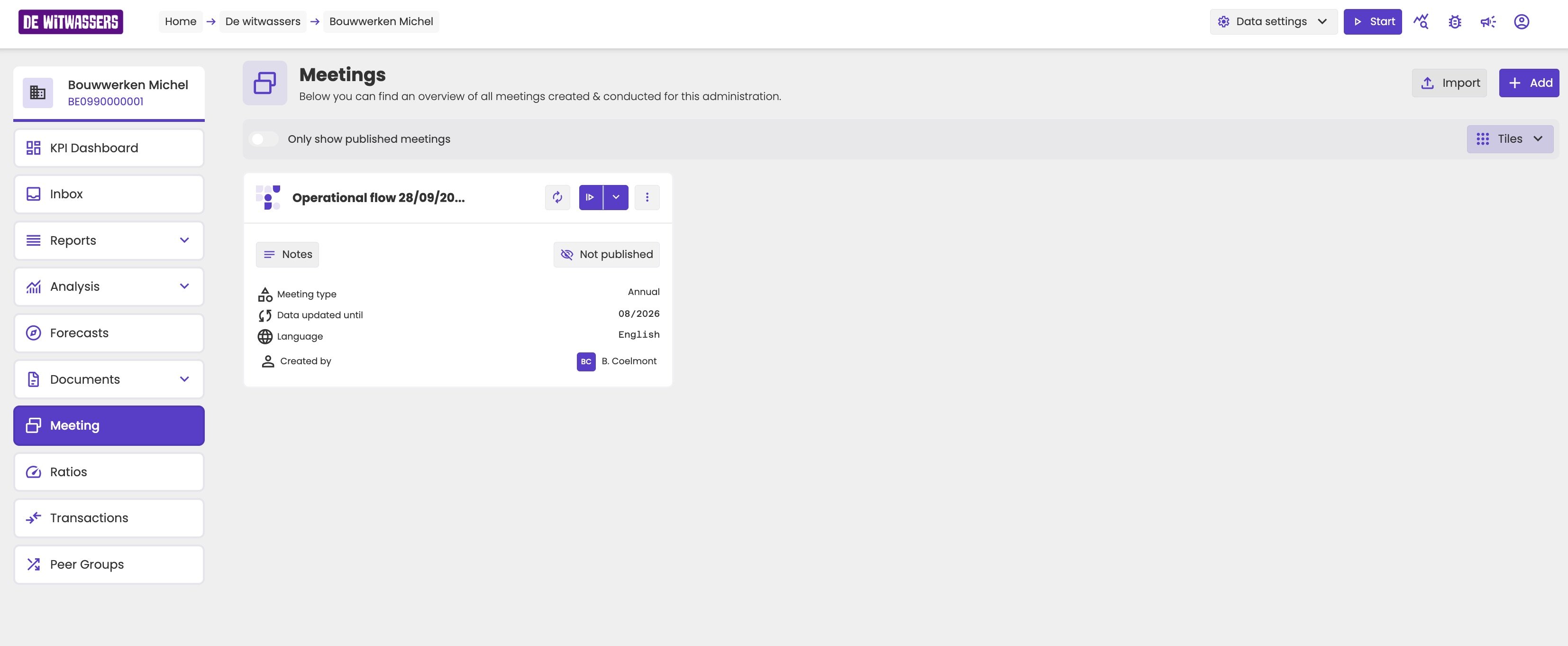
Click Meetings under Advisory in the administration menu. The Meetings page shows a tile for each meeting of the administration, with its meeting type, the Data updated until date, the language, and who created it. Turn on Only show published meetings to see only the meetings your client can see.
Meetings page of Bouwwerken Michel with Import and Add buttons, the toggle Only show published meetings, and a tile for Operational flow 28/09/2026 with Notes, Not published, meeting type Annual, data updated until 08/2026, language English, and created by B. Coelmont.

The meetings of an administration.

Start an existing meeting

Each tile has a button to present the meeting. Click the arrow next to it to choose presenter mode or fullscreen mode. When you stop presenting, aiGust remembers the meeting and the slide you were on. That meeting’s tile has different buttons:
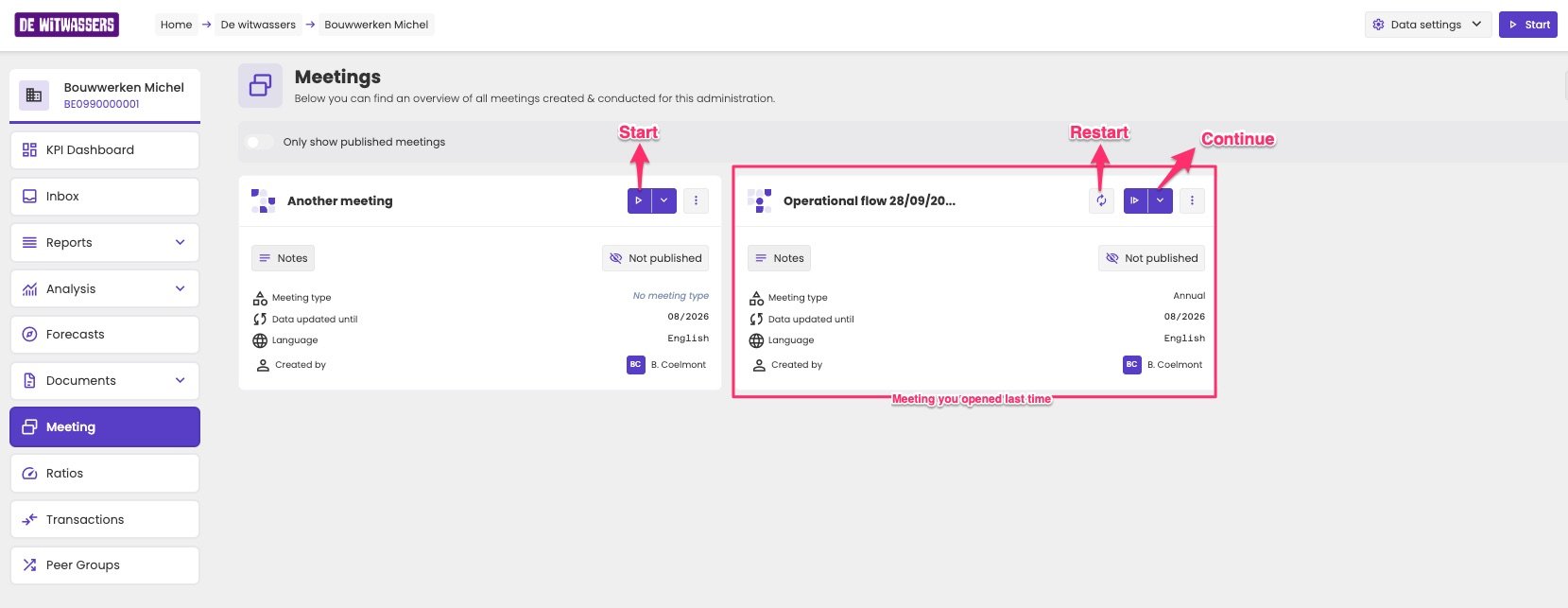
Meetings page with two tiles. Another meeting has a Start button. Operational flow 28/09/2026, the meeting opened last time, has a Restart button with round arrows and a Continue button.

The meeting you presented last can be continued or restarted.

Create a meeting

  1. Click Add.
  2. In Create a new meeting, check the settings aiGust proposes, such as the meeting flow and the language. See Meeting properties.
  3. Click Submit.
The meeting opens in the meeting editor, so you can prepare it before you present it. To create a meeting and present it right away, use the Start button at the top right of the administration instead. See Quickstart a meeting.

Edit, duplicate or delete a meeting

Click the three dots on a tile:
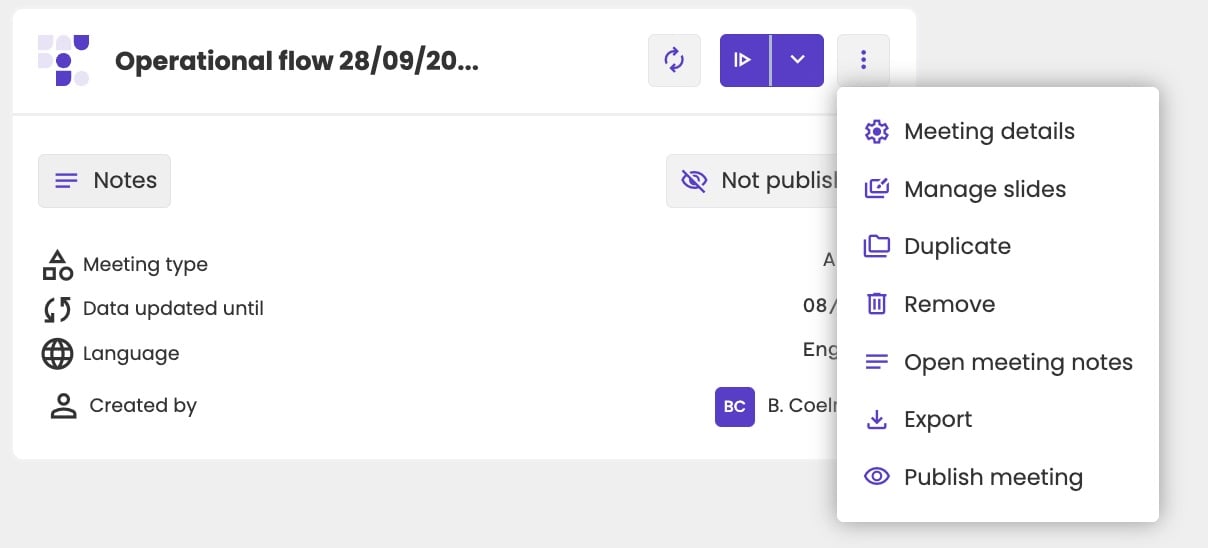
Three-dots menu of a meeting tile with Meeting details, Manage slides, Duplicate, Remove, Open meeting notes, Export and Publish meeting.

The options of a meeting.

On the tile itself, Notes opens the notes too, and Not published publishes the meeting.

Export and import

Export downloads the meeting’s definition as a JSON file. Use it as a backup: Import at the top of the page adds it again. Only import files you exported from aiGust. An edited file that no longer follows aiGust’s format can’t be imported.