

- Default peer groups: the peer groups aiGust provides for the administration.
- Custom peer groups: peer groups you define yourself.
Default peer groups
aiGust always provides default peer groups, based on the administration’s subsector and company type:- One for the subsector, for example Ground works and shell construction (Subsector).
- One for the subsector and company type, for example Ground works and shell construction - Operating Company. This keeps a one-person management company from being compared with a company that has its own staff and customers.
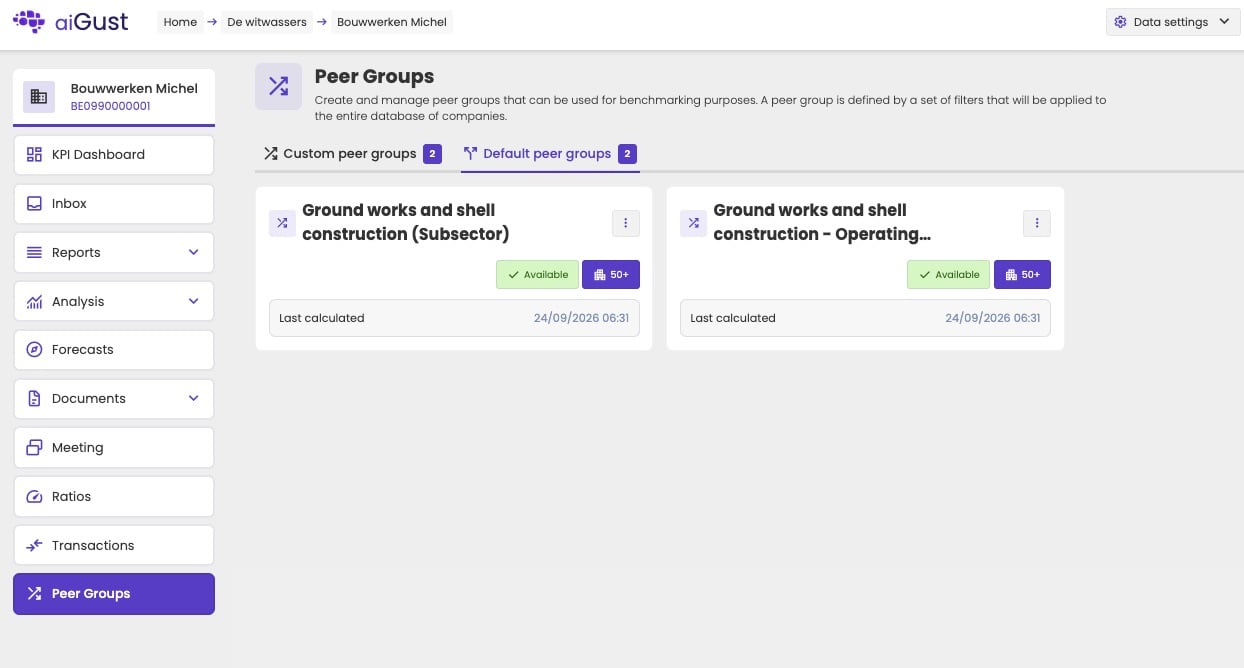
The Default peer groups tab, with the status, number of peers and last calculation of each group.
Custom peer groups
To compare an administration with a more specific group, for example only companies of a similar size, create a custom peer group. A custom peer group belongs to the administration you create it for. Other administrations of your firm don’t see it.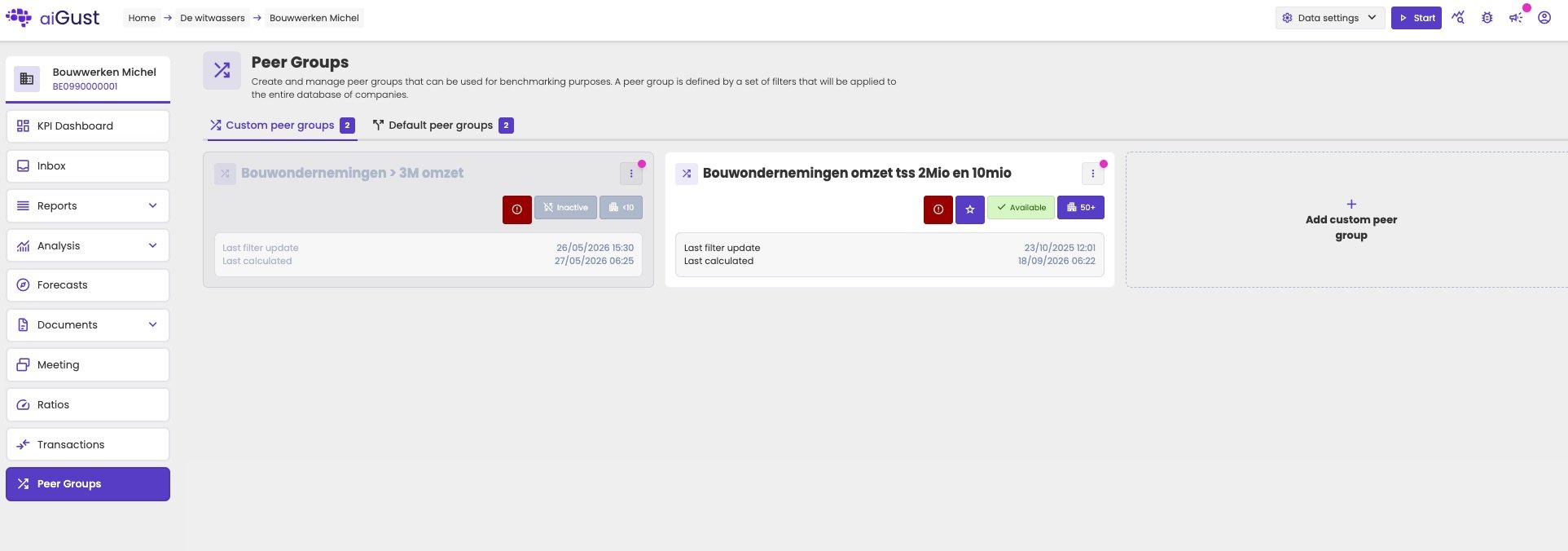
The Custom peer groups tab. A peer group with fewer than 10 peers is inactive.
Create a custom peer group
1
Add a peer group
On the Custom peer groups tab, click Add custom peer group. Enter a name, and optionally a description. Use the nl, en and fr buttons to enter the name in each language, or click Auto generate to let aiGust suggest them. Click Confirm.
2
Add filters
On the Filter definition tab, click Add a filter and choose the kind of filter. See Filters below.
3
Set each filter
Set the values for each filter, for example a subsector, or a turnover between €2M and €10M.
4
Calculate
Click Calculate now. aiGust adds the calculation to a queue. It usually takes 10 to 30 minutes before the peer group is ready.
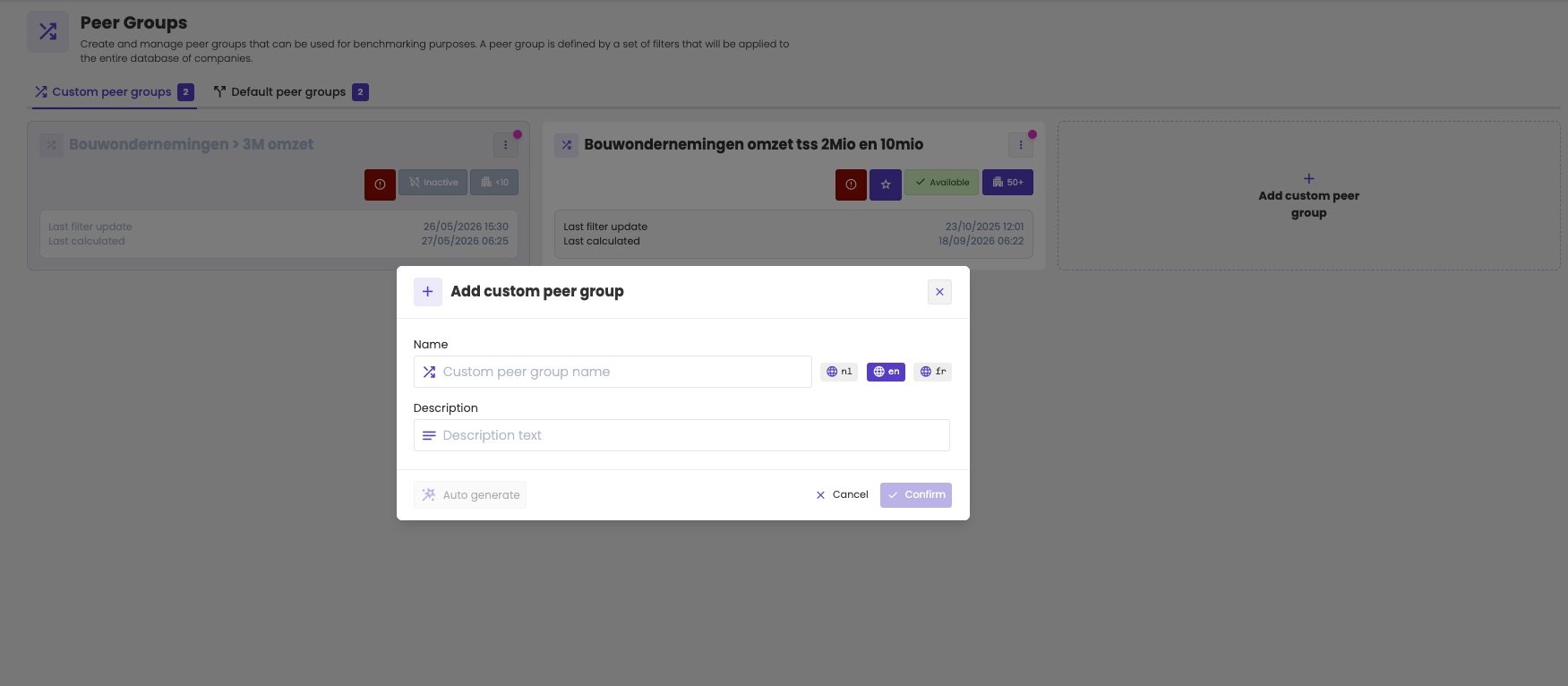
Adding a custom peer group: a name in each language and an optional description.
Filters
You build a peer group’s filters in the same way as those of an advanced search or a trigger. There are two kinds.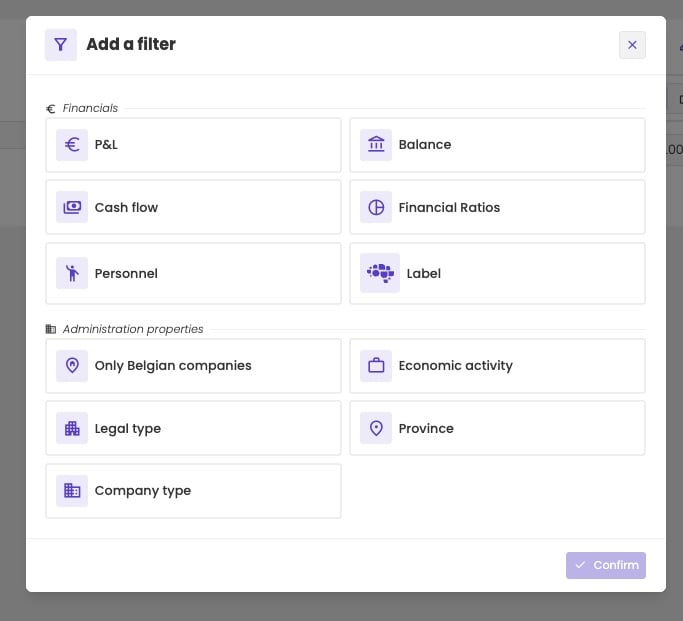
Choosing a filter: financial KPIs or administration properties.
For a financial filter, you choose:
- The KPI, for example Turnover.
- The KPI type: absolute value, horizontal delta, vertical value or vertical delta.
- Financial year or YTD: whether the condition applies to the last closed financial year or to the year-to-date figures. The last closed financial year is based on today’s date, not on the administration’s up-to-date-until date.
- The condition: less than, greater than, at most, at least, equal to, or between two values.
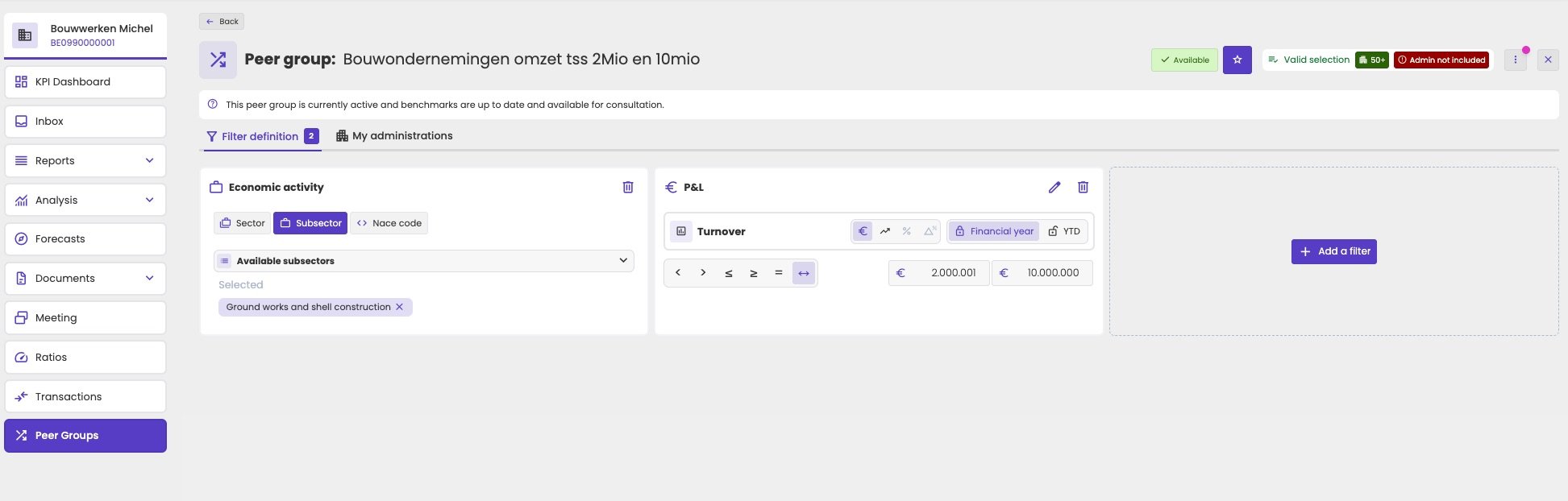
A peer group with two filters: a subsector, and a turnover between €2M and €10M in the last financial year.
Subsector Road transport and turnover between €1M and €7M and province Limburg or West Flanders
Suggestions
aiGust can also suggest peer groups for the administration. An AI model looks for groups of companies similar to it. The suggestions appear on the Custom peer groups tab, under We’ve generated some interesting AI-peergroups for you!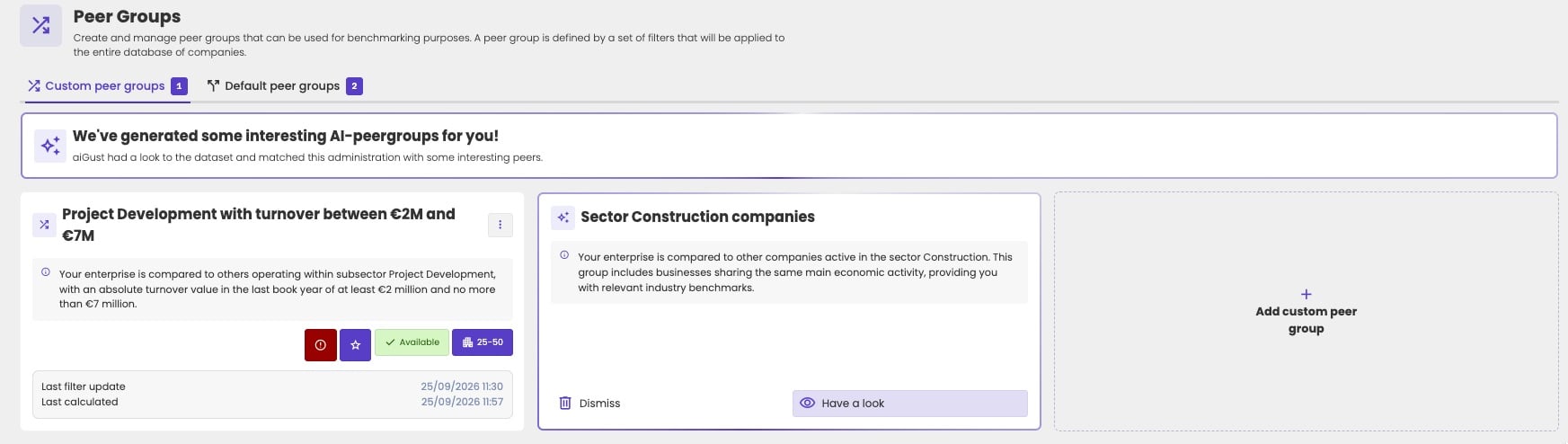
A suggested peer group, next to a custom peer group.
- Click Have a look to see its filters, and which of your administrations match them.
- Click Turn into peer group to add it to your custom peer groups. Then calculate it.
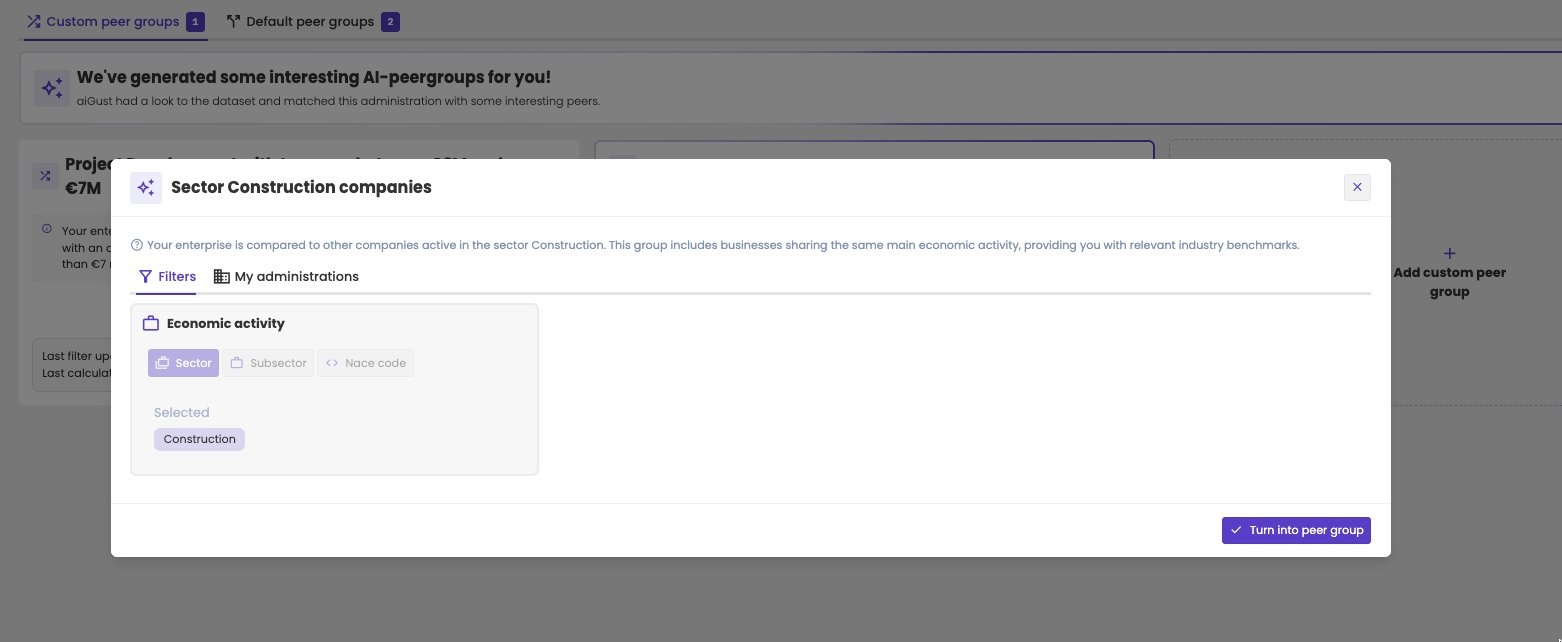
Previewing a suggestion before turning it into a peer group.
Check which of your administrations are in a peer group
Open a peer group and go to the My administrations tab. It lists all administrations of your firm that match the peer group’s filters. If the administration you’re working on doesn’t match the filters, the peer group shows Admin not included at the top. On the Custom peer groups tab, the card of that peer group shows a red icon with an exclamation mark.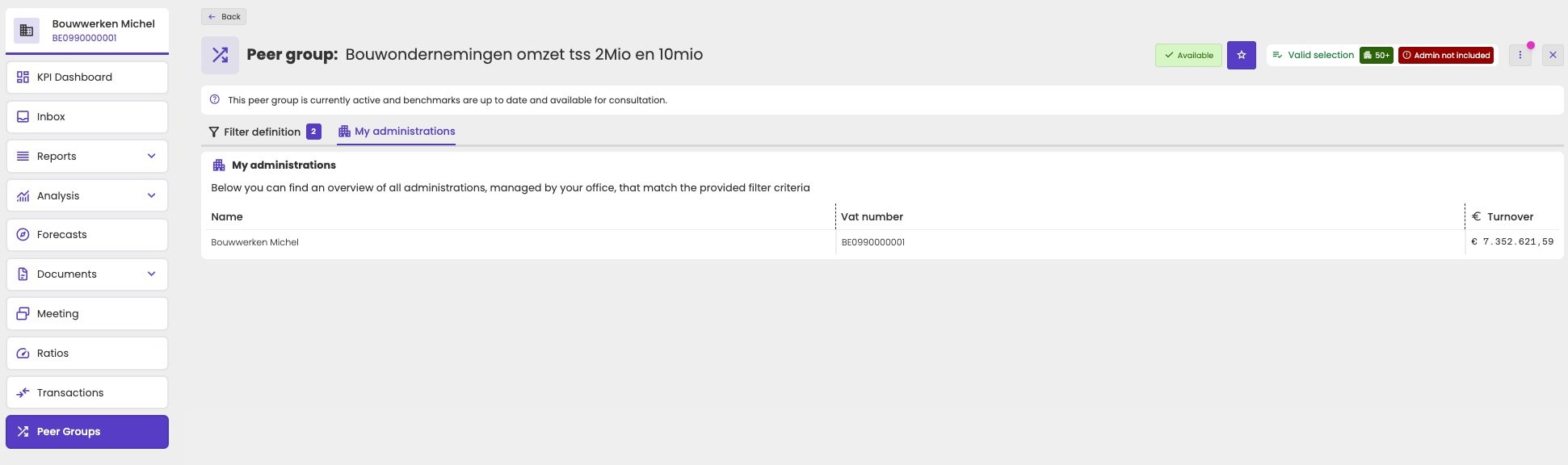
The My administrations tab. The flag Admin not included at the top right shows that the current administration isn't part of this peer group.
Status and calculation
Each peer group shows its status:
aiGust recalculates all peer groups every night, so new figures and new companies are included automatically. You can also recalculate a peer group yourself, for example right after changing its filters.
The default peer group
An administration can have several peer groups, but one of them is its default, marked with a star. The default peer group:- is shown to everyone who opens the administration, so your colleagues see the same benchmarks as you
- is used for the Performance vs benchmark score
The 10-peer minimum
To protect the privacy of the companies in it, a peer group needs at least 10 peers. With fewer, it’s inactive and you can’t select it. The minimum also applies per year. A peer group can have 10 or more peers in the last financial year, but fewer in an earlier year, for example because fewer companies were in the aiGust database then. aiGust then only shows the benchmark for the years with enough peers.Tips for a good peer group
- Keep a margin above 10 peers. A peer group with 10 or 11 peers today can easily have fewer in earlier years, and then some years show no benchmark.
- Limit the size range. Filter on turnover or on the number of employees, so very small and very large companies don’t skew the benchmark.
- Separate company types. Compare operating companies with operating companies, and management companies with management companies. The default peer groups already do this.
- Check whether the administration itself is in the group. If you see Admin not included, the administration doesn’t meet the filters. That’s not wrong in itself, but check whether the peers are still comparable.
Related pages
How benchmarking works
Quartiles, privacy and choosing the right KPI type.
Read benchmarks
Select a peer group and read the benchmarks in charts and KPI cards.