

Add a formula
- Click a group at the top level, and click Add group.
- Under Group settings, choose Formula.
- Enter the Name, in each language: NL, EN and FR.
- Under Formula operands, click Add operand, and choose a group.
- Repeat for each group in the formula. To remove one, click the bin next to it.
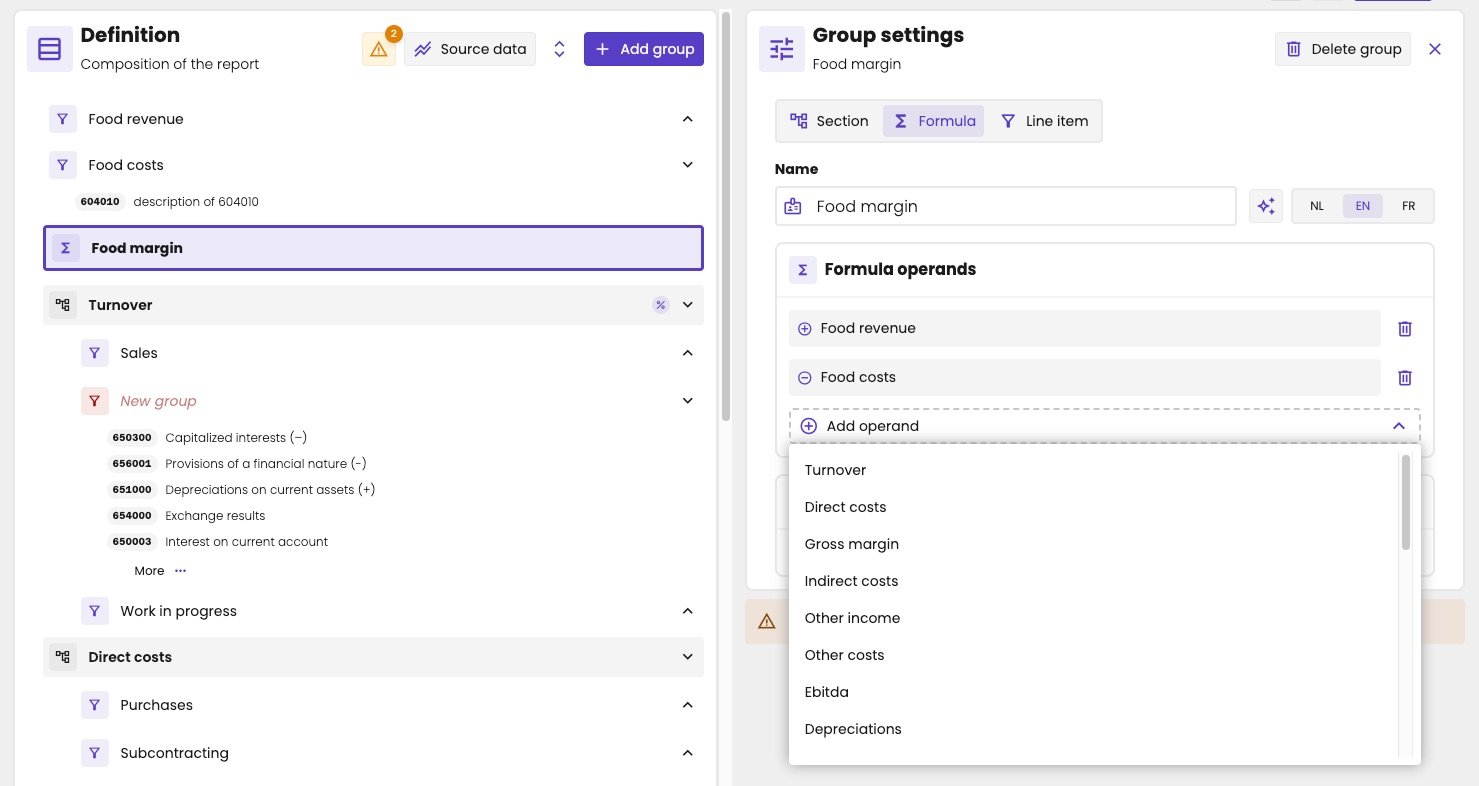
Food margin adds Food revenue and subtracts Food costs.
Add or subtract
You don’t choose in the formula whether a group is added or subtracted. That comes from the Operator in the settings of the group itself: plus is added, minus is subtracted. So to subtract Direct costs, set its operator to minus. The operator then applies in every formula that uses the group. On the Table tab, the plus or minus in front of each row shows its operator. The vertical reference shows an empty circle instead.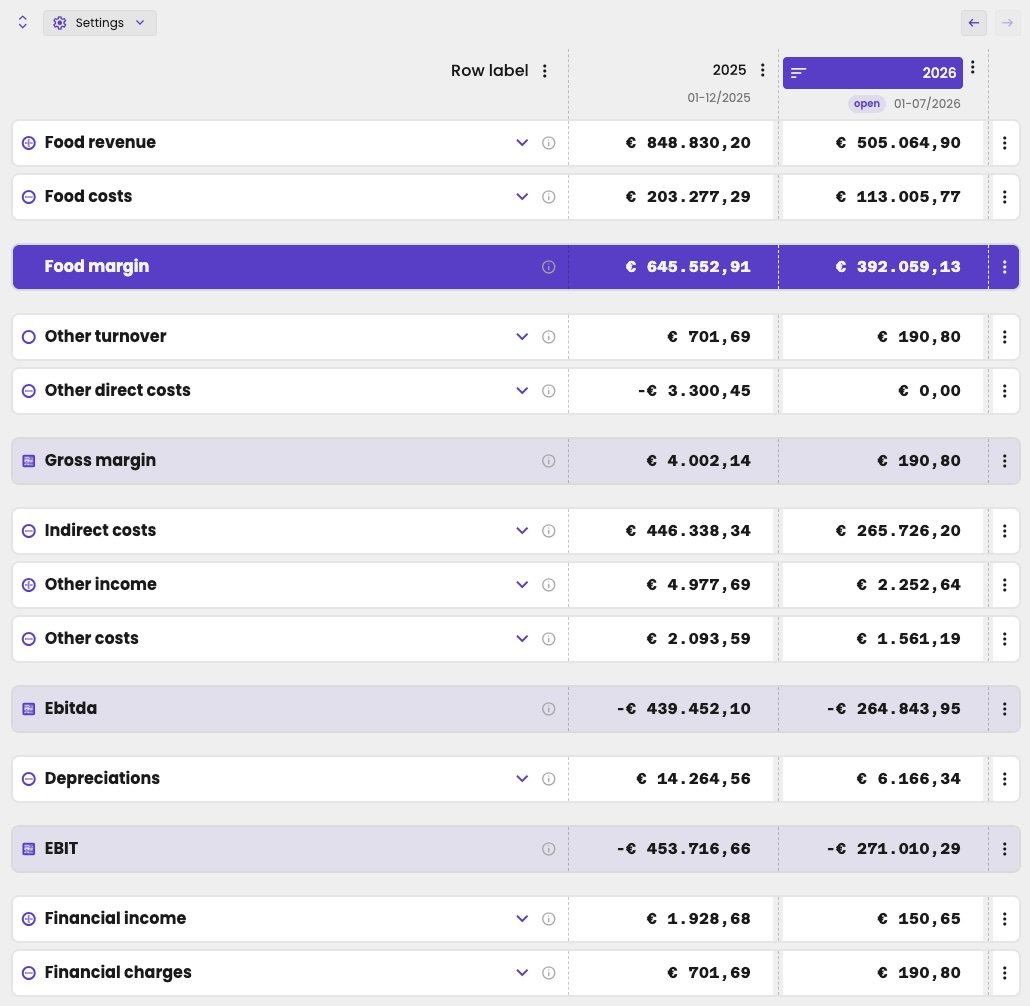
The formula Food margin in the report: Food revenue minus Food costs, shown in a distinct colour.