

Structure
The profit and loss adds up the bookings of each period. Each line takes the accounts starting with the numbers shown. Lines marked with = are calculated from the lines above them.| Line | Accounts or formula |
|---|---|
Contribution margin
The gross margin shows turnover minus direct costs. Many companies also have indirect costs that grow with their activity, such as renting machinery or extra staff. The contribution margin takes those variable costs into account as well:- Variable costs rise and fall with activity.
- Fixed costs stay the same, whatever the activity.
- The contribution margin is the gross margin minus the variable indirect costs: what’s left to cover the fixed costs and make a profit.
Show the contribution margin
Under Settings, turn on Show contribution margin.The contribution margin only changes the part of the profit and loss between Gross margin and EBITDA. Instead of indirect costs, other income and other costs, you see:
- Variable costs, Variable other income and Variable other costs: the variable part of services, directors, interim workers and personnel (61, 62), of grants and other recurring income (740–749), and of other costs (64).
- Contribution margin = Gross margin − Variable costs + Variable other income − Variable other costs.
- Fixed costs, Fixed other income and Fixed other costs: the fixed part of the same accounts. Produced fixed assets (72), grants (736–739) and other recurring income (730–735) always count as fixed.
- EBITDA = Contribution margin − Fixed costs + Fixed other income − Fixed other costs. The result is the same as without the contribution margin.
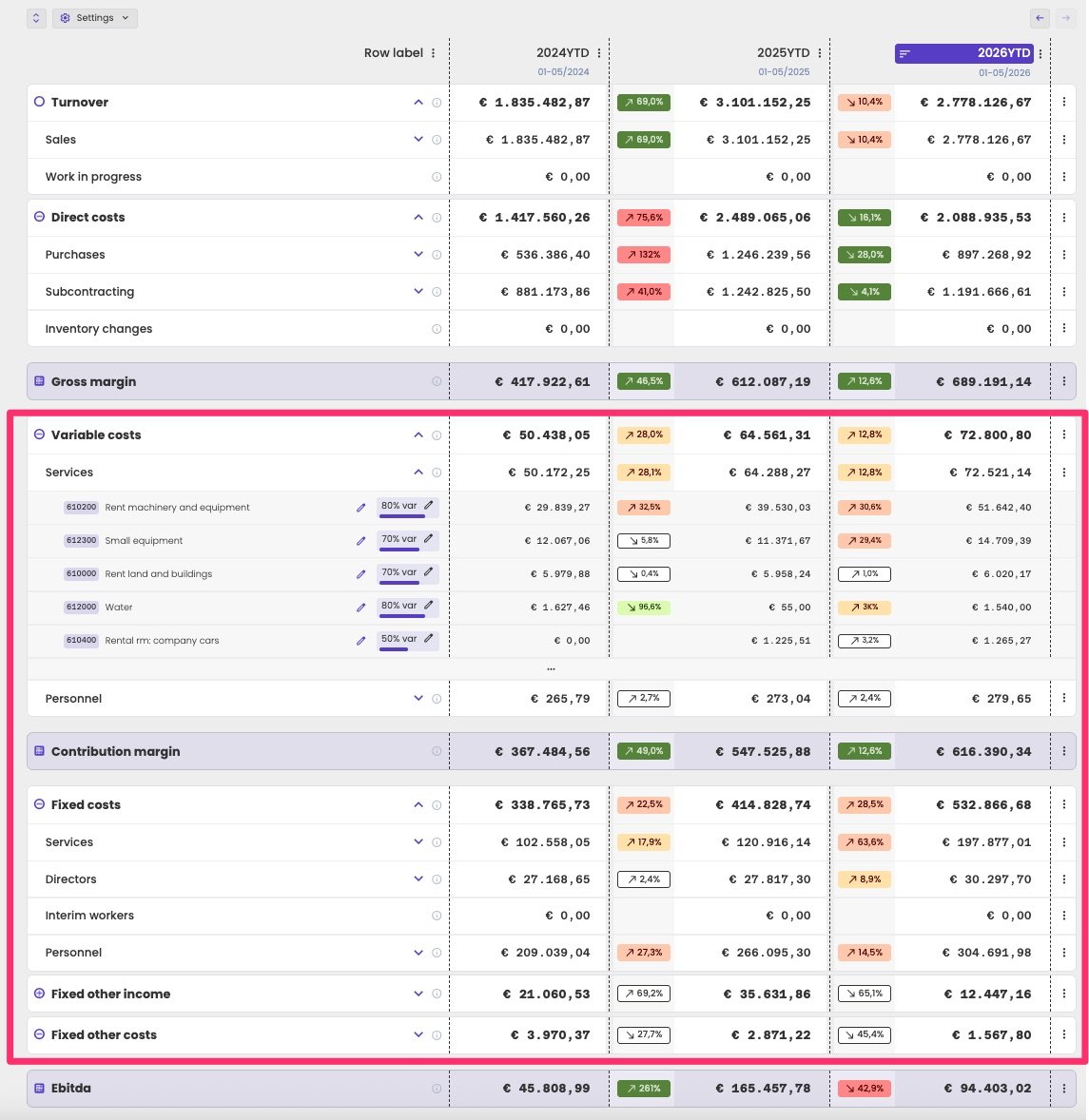
The profit and loss with the contribution margin. Each account shows its variable percentage.
Set the fixed/variable split
For each account, you set which percentage of its costs is variable. It doesn’t have to be all or nothing: rent of machinery can be 80% variable and 20% fixed. Each account shows its percentage as a badge, for example 80% var. To change it, click the badge. In Split Fixed/Variable Costs, move the slider to the variable percentage, and click Confirm.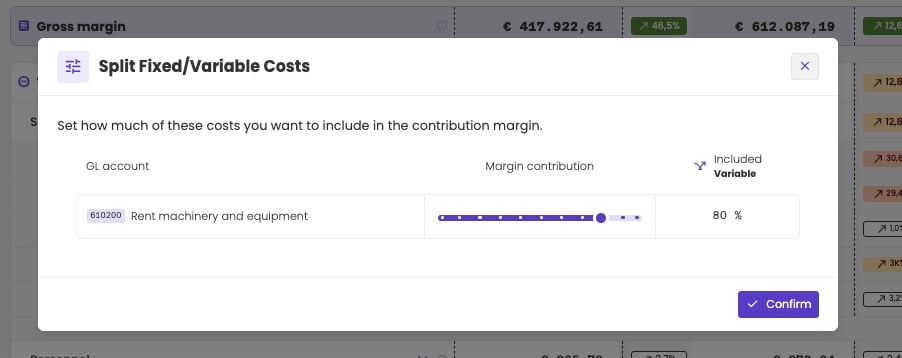
Setting the variable part of an account.
- Change one account: open its group, and move the slider to the variable percentage.
- Change a whole group: click the three dots next to the group, and choose Mark all as fixed or Mark all as variable.
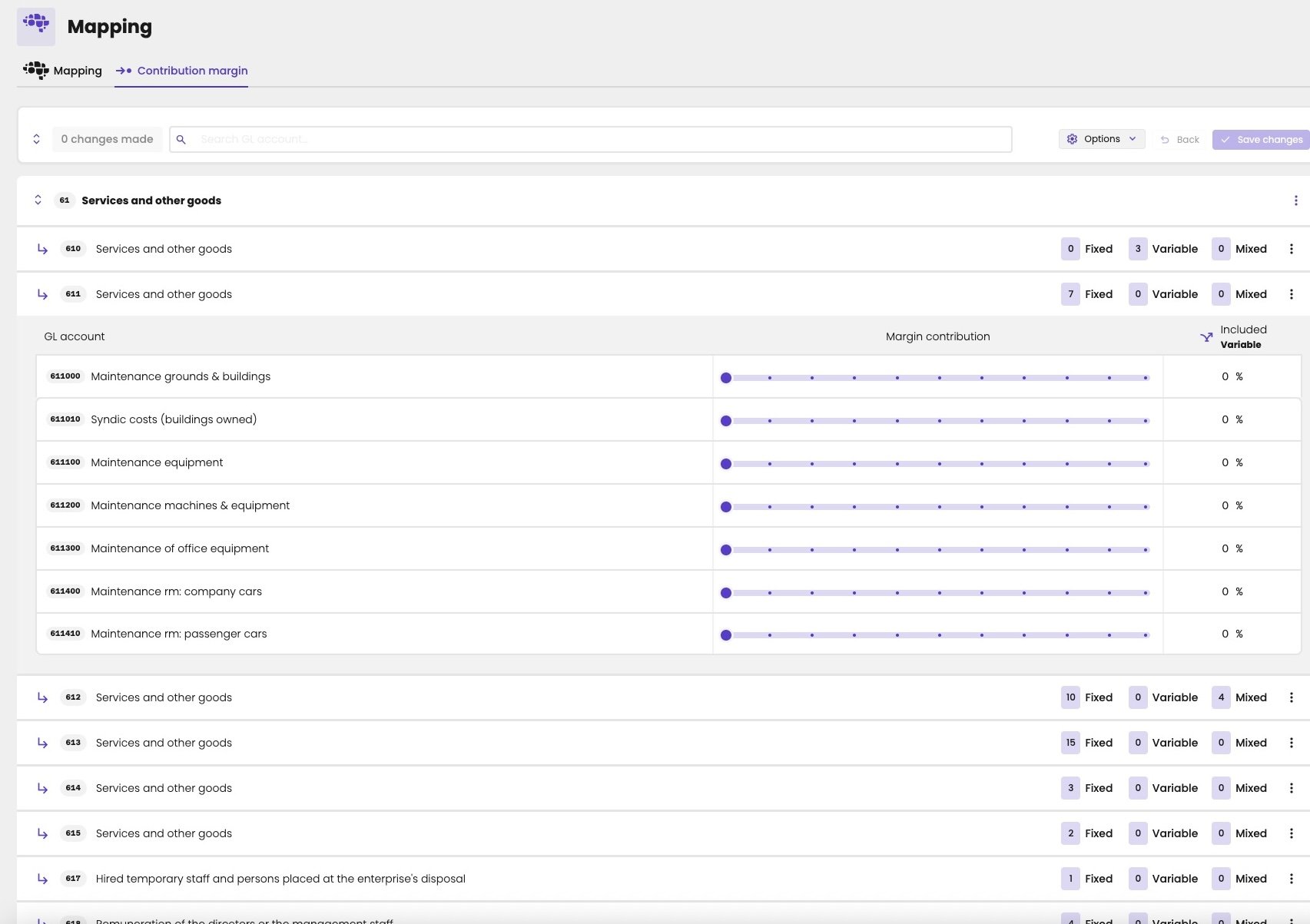
The Contribution margin tab: the number of fixed, variable and mixed accounts per group, and a slider per account.
The fixed/variable split only affects the profit and loss. It isn’t used in KPIs, dashboards or benchmarks.