

What aiGust gets from Silverfin
- Trial balances, converted into the common aiGust format. aiGust gets no transactions and no business partners. See Bookkeeping and compliance connectors.
- Financial periods, one per report in Silverfin. See Compliance connectors.
- The social balance sheet, for personnel reporting. See Silverfin social data.
- Documents of the administration, in the cloud drive. See Files from Silverfin.
Add the connector
- Sign in to Silverfin, and look at the address in your browser, for example
https://live.getsilverfin.com/f/5789/854412/ledgers/.... - In aiGust, click Settings in the main rail, choose Connectors, and click Add.
- Choose Silverfin, and click Next.
- Give the connector a Name.
- Under Your Silverfin domain & firm ID, fill in the parts of that address: the domain, usually
live, and the firm ID: the number after/f/, here5789. Click Create connector. - Click Activate now. Sign in to Silverfin, and give aiGust access.
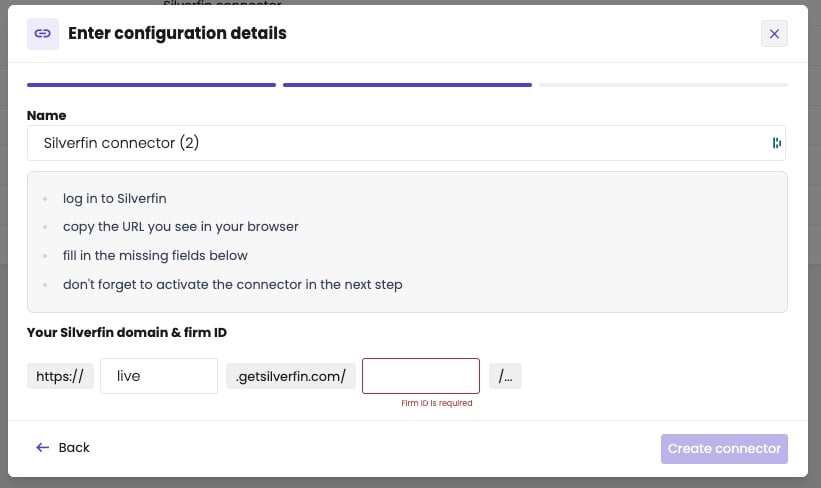
Fill in your Silverfin domain and firm ID.