

Only key users can manage meeting types.
Why use meeting types
Link each meeting flow to one or more meeting types, and to company types. When an accountant creates a meeting, aiGust then proposes the most specific flow. For example:
Accountants can always choose any other flow. The meeting type also shows on each meeting’s tile on the Meetings page.
Create a meeting type
- Click Settings in the main rail, and choose Meeting types.
- Click Create.
- Enter a Name and a Description. Use nl, en and fr to enter them in each language.
- Click Create.
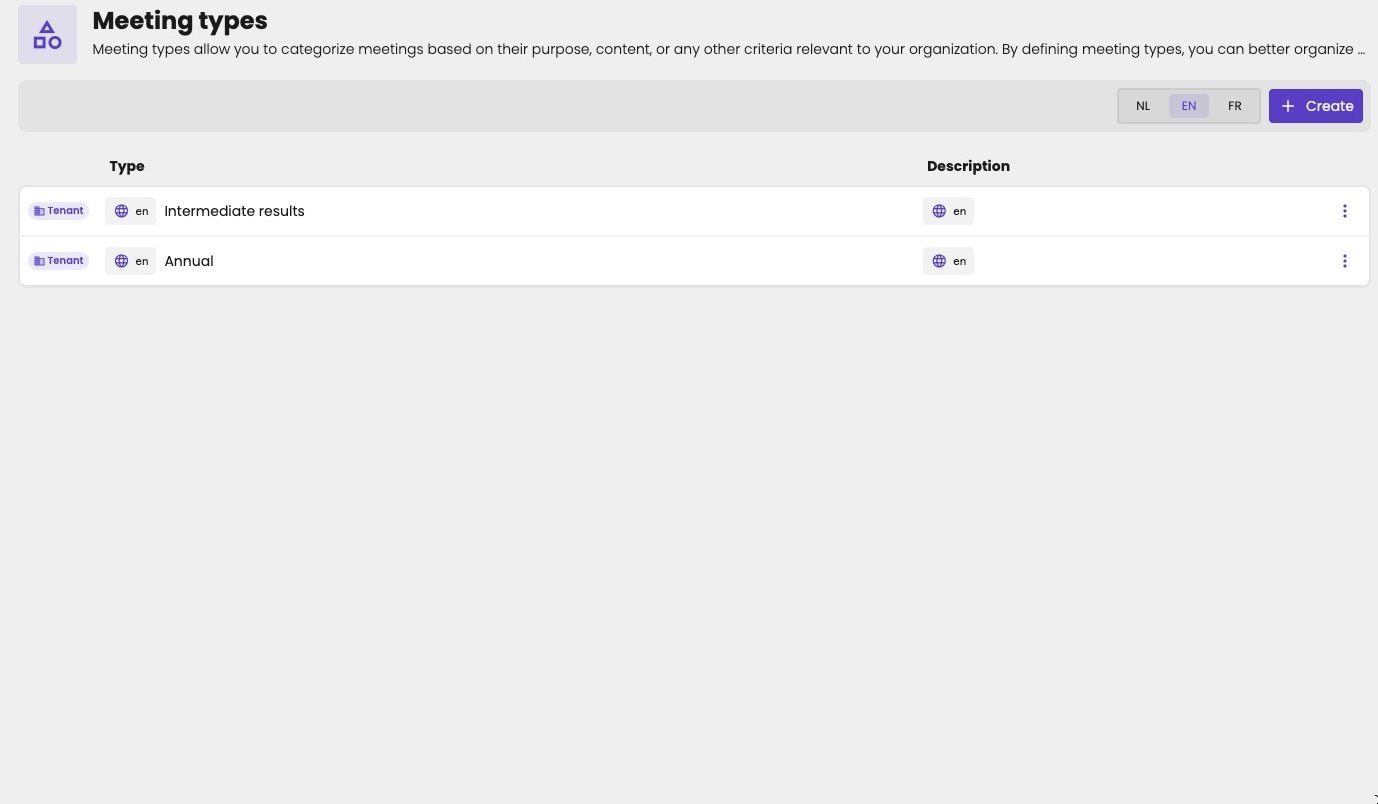
The Meeting types tab lists your firm's meeting types.
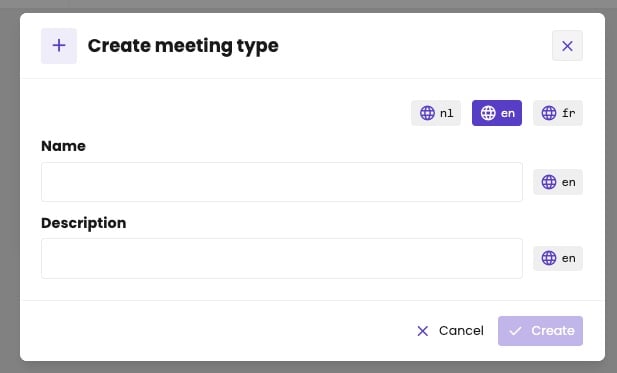
Create a meeting type in three languages.
Edit or delete a meeting type
Click the three dots next to a meeting type, and choose:- Edit to change its name or description. The same dialog opens, with the current text filled in.
- Delete to remove it. You can only delete a meeting type once no flow is linked to it anymore. Unlink it from its flows first.