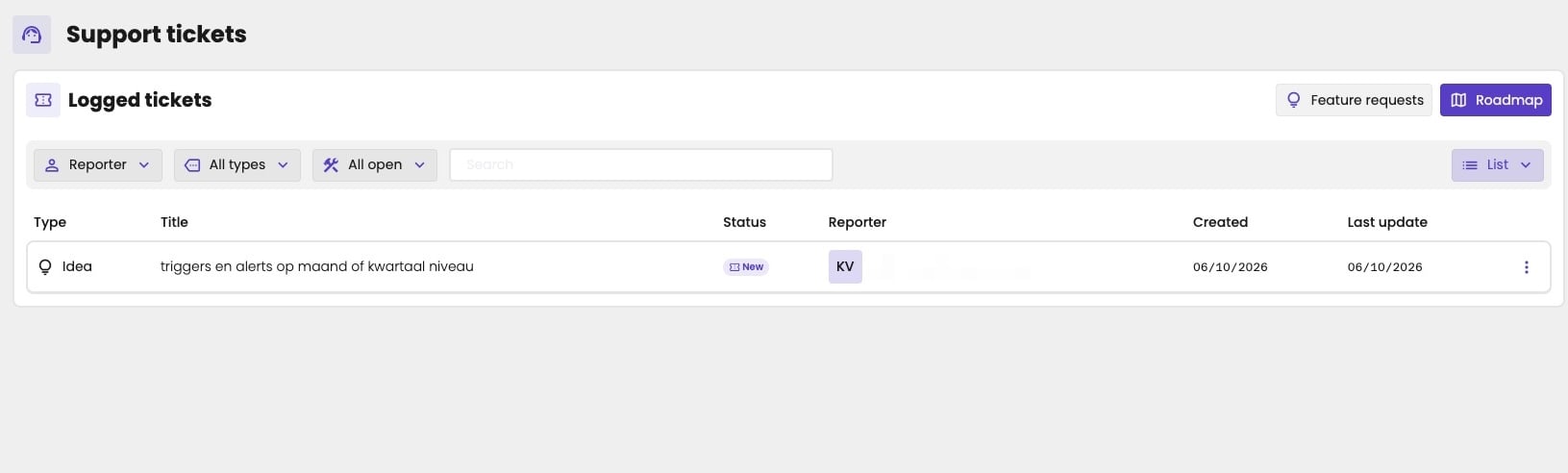
Key users can follow up on the bugs and feature requests they reported. You see the tickets of all key users at your firm, not only your own. Click Support in the main rail. You can also click the bug in the main rail, and choose Ticket overview.
Support tickets page with Logged tickets, the buttons Feature requests and Roadmap, the filters Reporter, All types and All open, a Search field and a List switch. One ticket: an Idea titled triggers en alerts op maand of kwartaal niveau, with the status New, a blurred reporter, created and last updated on 06/10/2026, and a three-dots button.

The tickets of your firm.

Each ticket shows its type, such as Idea, its status, such as New, the title, when it was created and last updated, and who reported it. Narrow the list with the filters:
  • Reporter: the key user who reported the ticket, for example to see only your own.
  • All types: the type of ticket: a bug, an idea or feedback. The type is set automatically when you send the report.
  • All open: the status: New, In progress or Resolved. By default, you see the open tickets, the ones that aren’t resolved yet.
  • Search: find a ticket by its text.
Feature requests and Roadmap open the ideas and the roadmap of aiGust. See Ideas and roadmap. To see a ticket in full, with its screenshot and comments, click the three dots on it and choose Open. There you can also add a comment.

What happens with a ticket

  1. You send a report. You get a confirmation email.
  2. We pick it up.
  3. If we have questions, you get an email with a link. Follow the link to answer them.
  4. When we close the ticket, you get an update by email.