

- From the list of all client users, under Access › External users in the main rail, as described on this page. Use it to give someone access to several administrations or administration groups at once, and to manage all client users of your firm.
- From one administration, on its Client access tab. See Give your client access.
Client roles
Each client user has a role:Add a client user for your firm
- Click Access in the main rail, and choose External users.
- Click Add.
- Client details: enter the First name, Last name, Email, Language and Role, and click Next.
- Link administration to client: choose the Access type:
- Administration groups, to give access to all administrations in one or more administration groups;
- Administrations, to pick single administrations.
- Link administrations: select the groups or administrations, and click Next.
- Finish client set up: choose whether to Send a welcome email to the user, and click Submit.
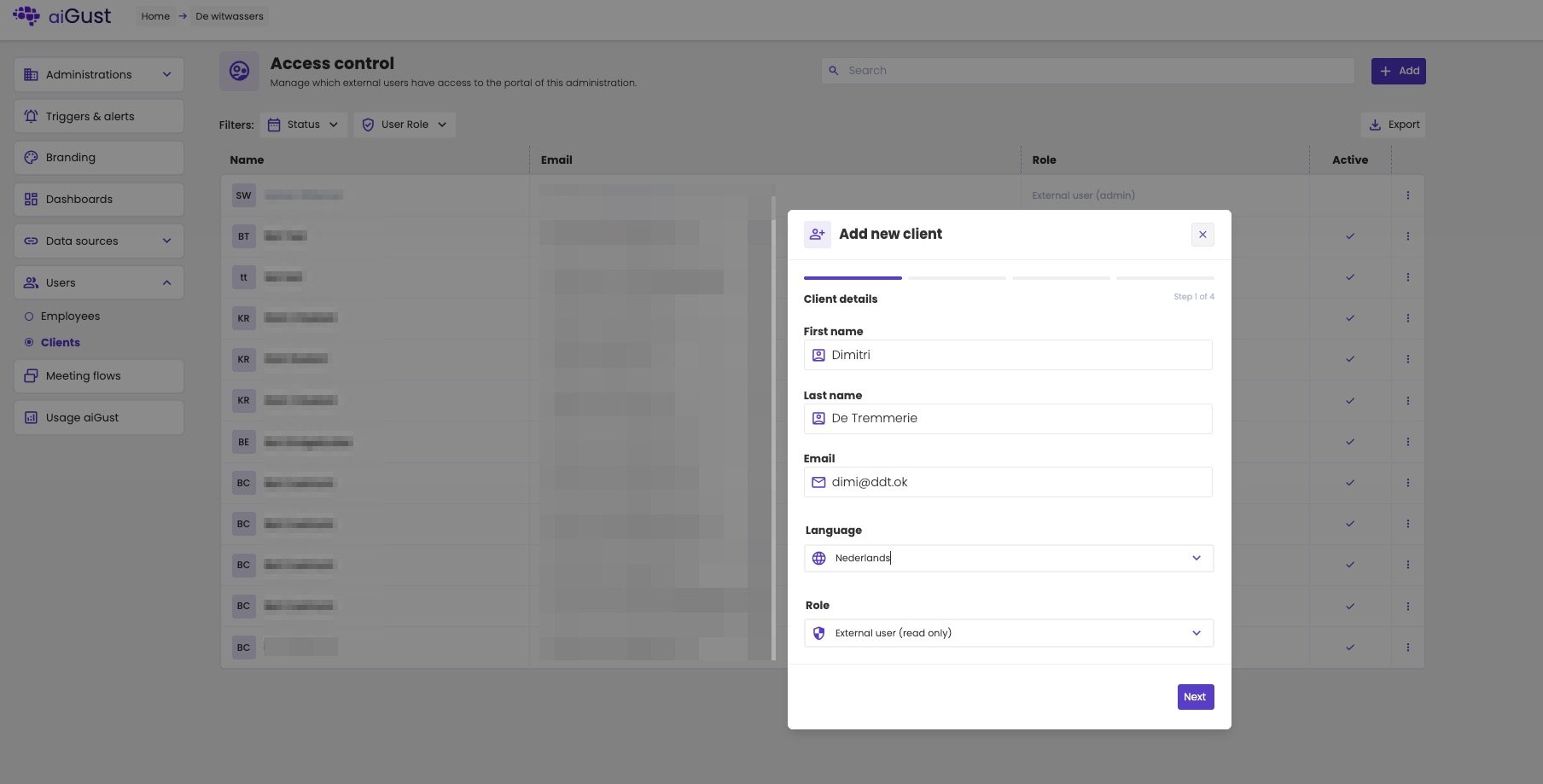
Step 1: the details of the client user.
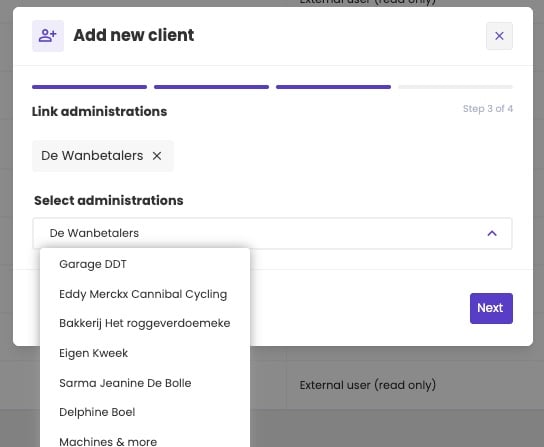
Steps 2 and 3: the administrations the client user can see.
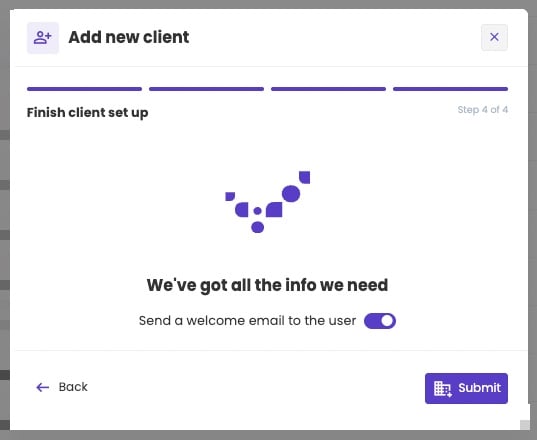
Step 4: send the welcome email, or not.
The welcome email
The welcome email lets your client sign in, or set a password. It’s the Client welcome email in your email templates. See Sign in to aiGust. If you don’t send it, tell your client yourself how to sign in. You can send it later with Resend welcome email.Manage client users
Access › External users lists all client users of your firm, with their email address, role and whether they’re active. Filter the list by Status or User Role, search it, or click Export to download it.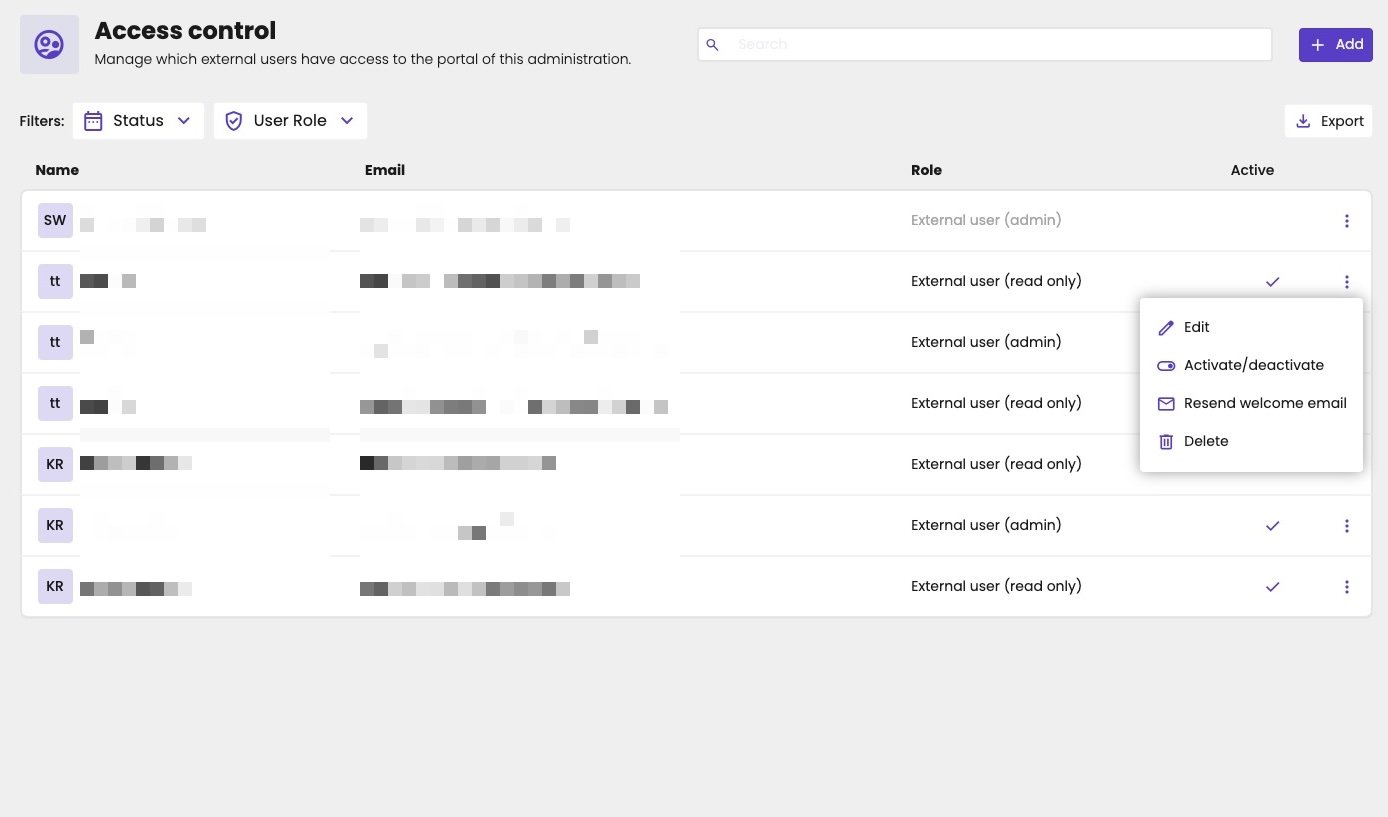
All client users of your firm.
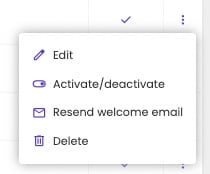
The options of a client user.
Profile
The Profile tab holds the name, email address, Language and User Role of the client user. Change what you need, and click Save.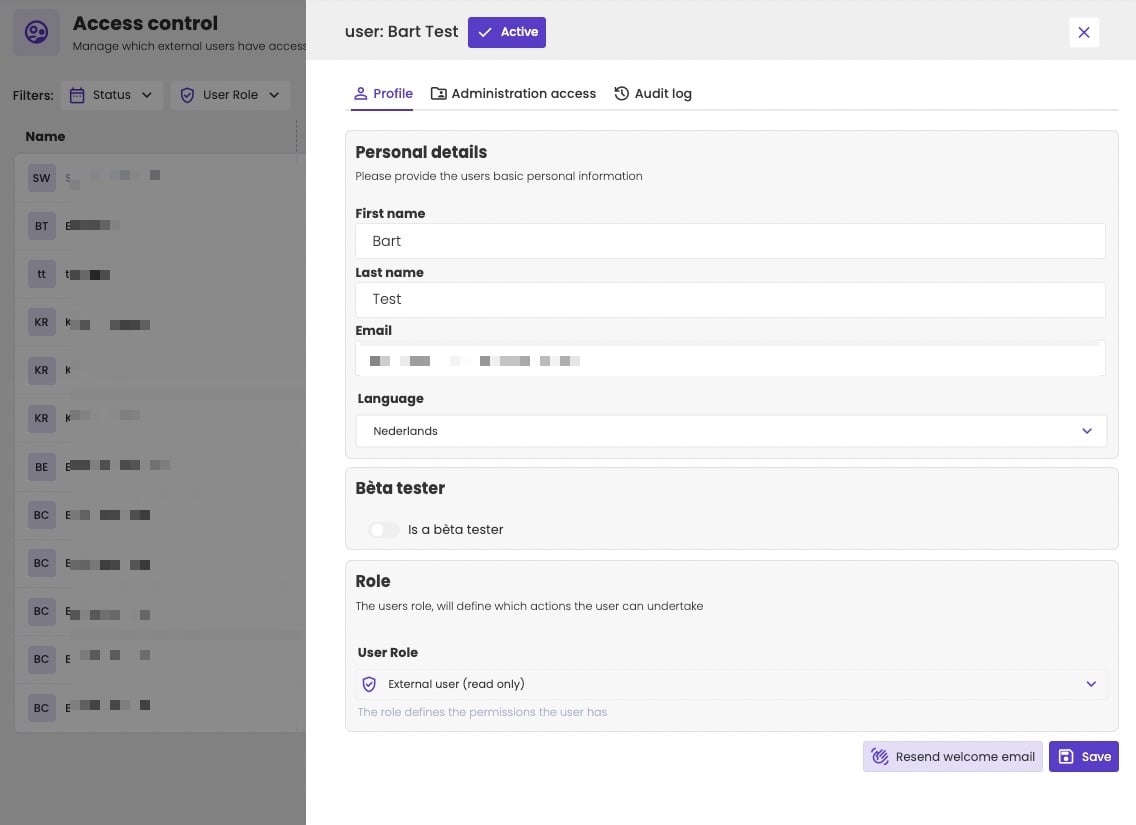
The profile of a client user.
Administration access
The Administration access tab lists the Administrations and Administration groups the client user can see. Click + to add one, or − to remove it. The client user only sees what’s on this list: all other administrations are blocked.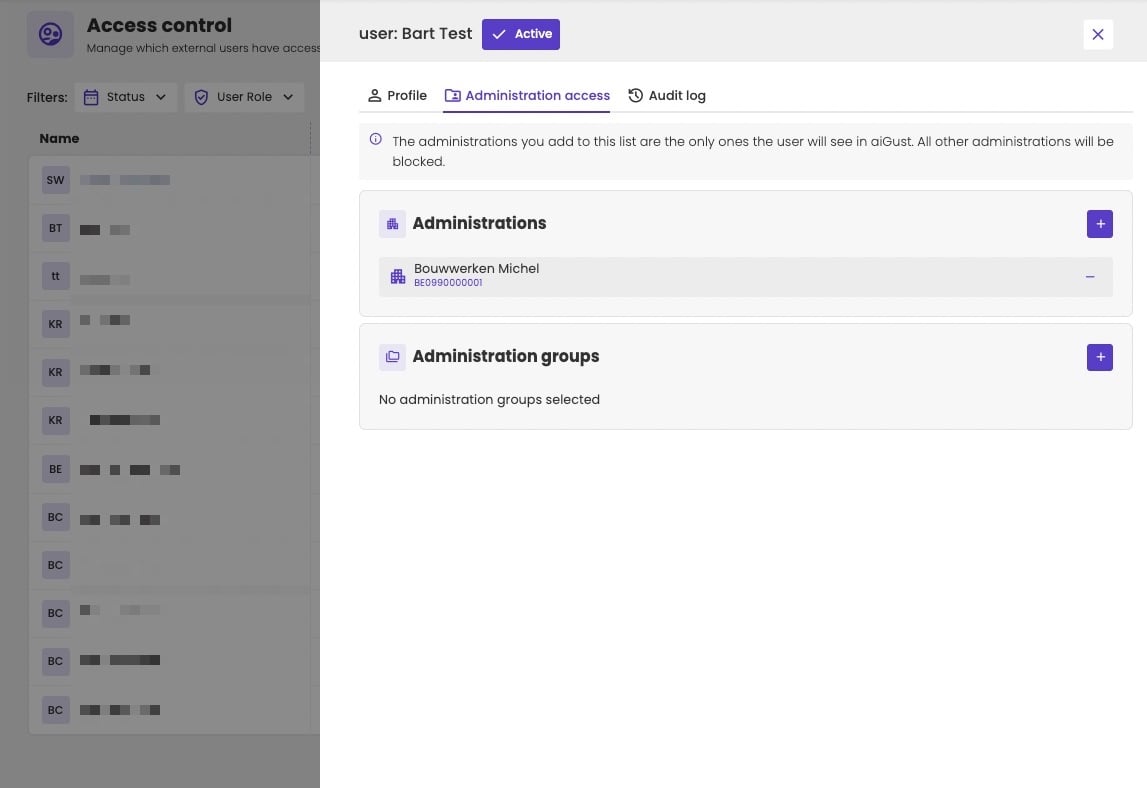
The administrations a client user can see.
Audit log
The Audit log tab shows what the client user did, per day and per administration, for example Viewed meeting. Choose the period at the top right.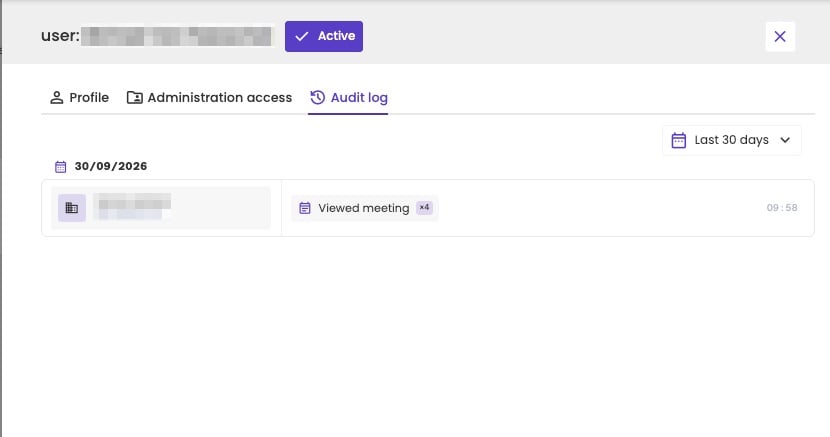
What a client user did.