

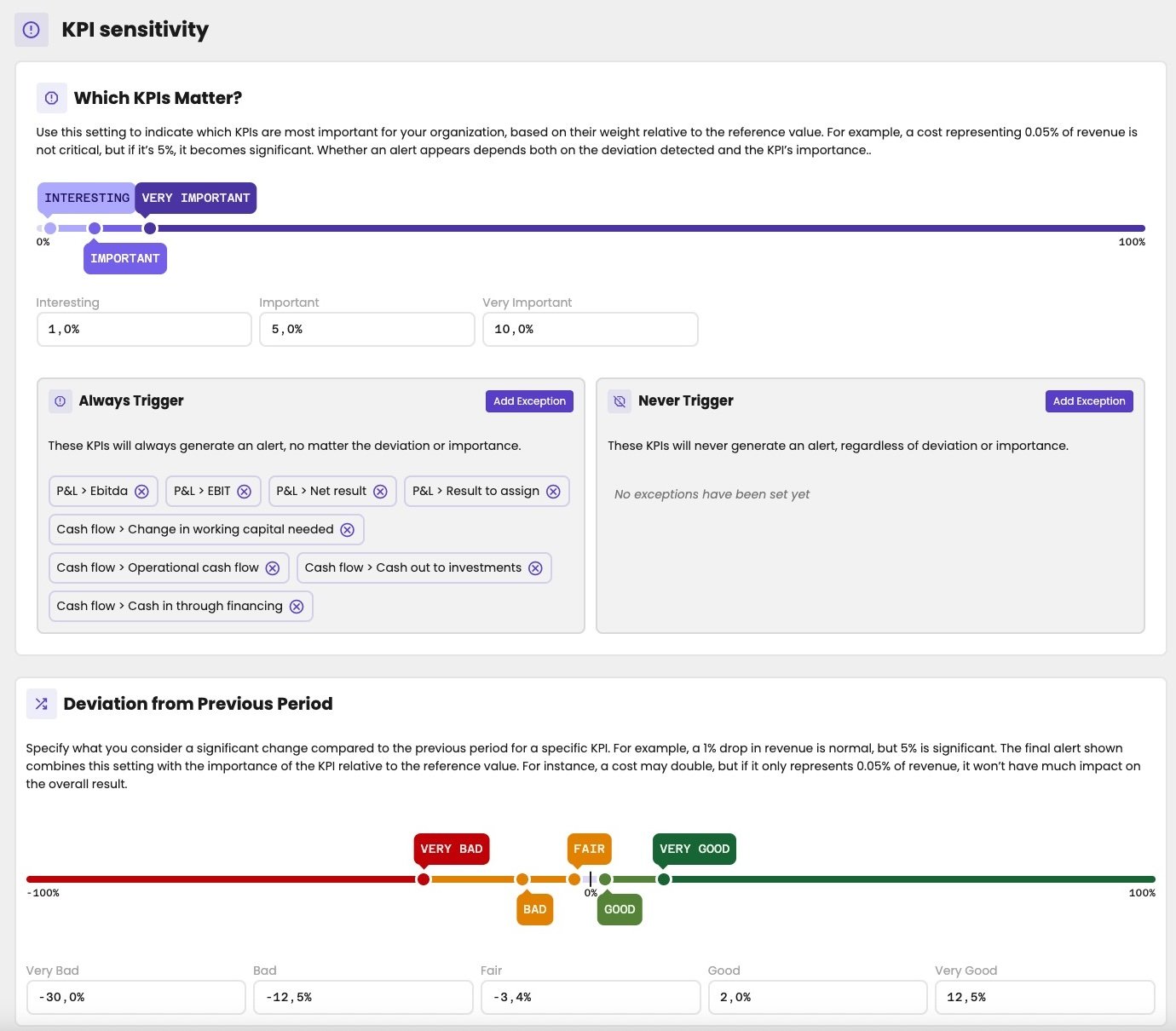
The KPI sensitivity settings. This firm changed the deviation percentages from their defaults.
How aiGust decides on the colour
aiGust looks at two things for each figure:- How important the KPI is: how large it is compared with its reference value. For a cost, that’s usually the turnover. A cost of 0.05% of turnover doesn’t matter much. A cost of 5% does.
- How large the change is: compared with the previous period, or with the peer group.
Which KPIs matter
Under Which KPIs Matter?, you set from what size a KPI counts, as a percentage of its reference value:
Drag the points on the slider, or type the percentages in the fields.
Exceptions
Some KPIs always matter, whatever their size. Others never do.- Always Trigger: these KPIs always count as very important. By default, that’s EBITDA, EBIT, net result and result to assign, and the four cash flow totals.
- Never Trigger: these KPIs never get a colour. By default, the list is empty.
Deviation from previous period
Under Deviation from Previous Period, you set how large a change compared with the previous period has to be:
For a KPI where an increase is bad news, such as a cost, aiGust turns the sign around. A cost that rises by 20% counts as a drop of 20%.
Deviation from benchmark
Under Deviation from Benchmark, there’s nothing to set. aiGust checks whether the figure falls between the 25th and the 75th percentile of the peer group:- Between the two: no colour. The administration performs around average.
- Outside: a colour, red on the bad side and green on the good side. How strong it is depends only on how important the KPI is.
The result
The importance score times the deviation score gives the colour:
For example: an important KPI (2) with a bad change (−2) gives −4, a major alert. An interesting KPI (1) with the same change gives −2, a minor one.