

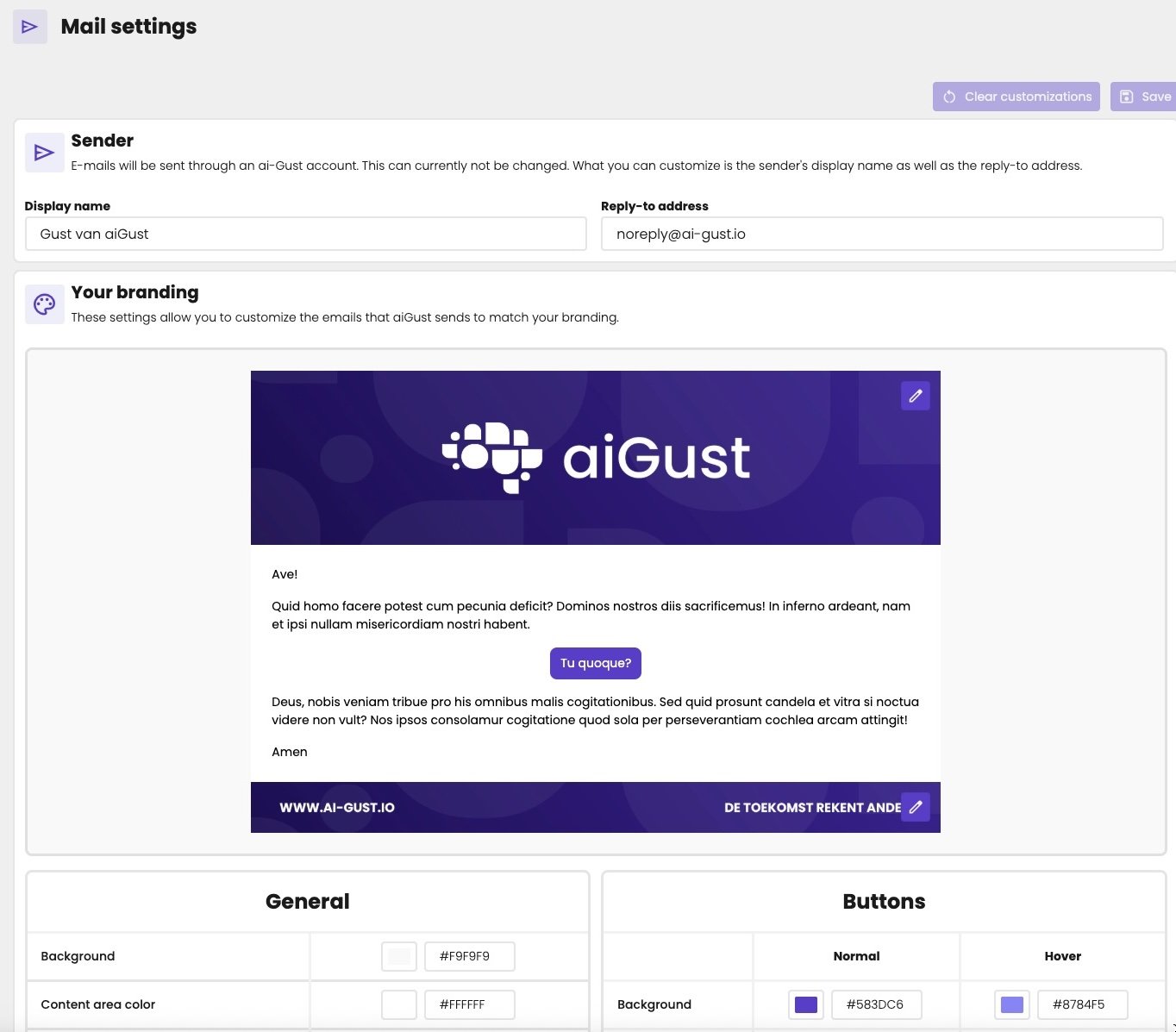
The mail settings, with a preview of your emails.
Sender
aiGust sends the emails from an aiGust account. You can’t change that address, but you can set:- Display name: the name your recipients see as the sender, such as your firm’s name.
- Reply-to address: where replies go, such as your firm’s general email address.
Your branding
The preview shows how your emails look.- Header and footer: click the pencil on the header or the footer to choose an image from your branding assets.
- General: the Background around the email, the Content area color behind the text, and the Text color.
- Buttons: the Background and the Label colour of the buttons, Normal and on Hover.
The text of each email is set in its template. See Email templates.