

Get a client ID and secret
How you get the credentials depends on the integration:
Either way, the token works the same. See Request an access token.
Create an integration
A key user of the firm creates the integration:- Click Settings in the main rail, and choose Integrations.
- Click Create new integration.
- Enter a Name, and choose a Role. The role decides what the integration may do. See What the service user may do.
- Click Next.
- Copy the Client ID and the Client Secret with the copy buttons, and click OK.
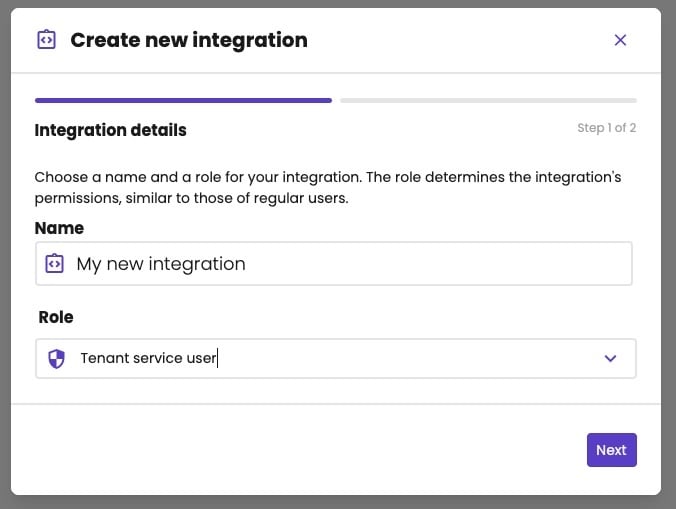
Step 1: a name and a role.
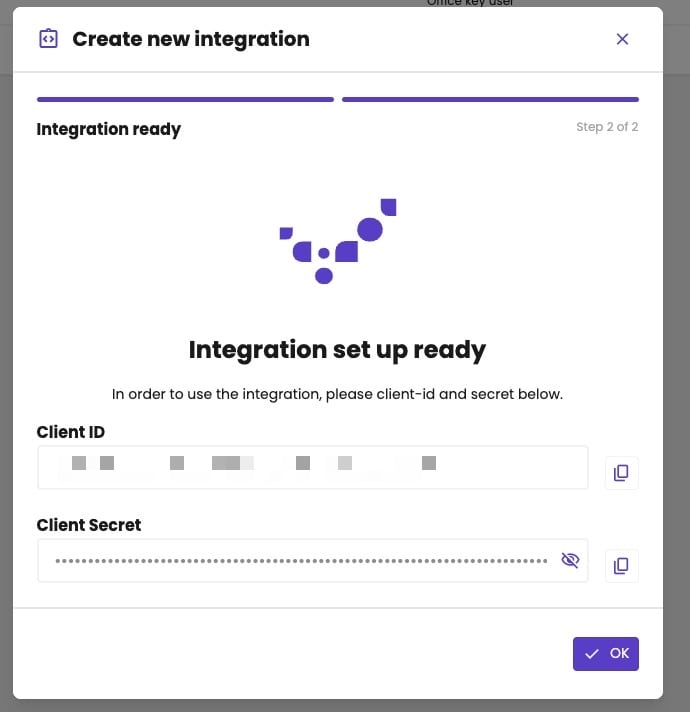
Step 2: the client ID and secret of the new integration.
Manage an integration
The integrations list shows each integration with its role, and an Active switch. Turn it off to block the integration.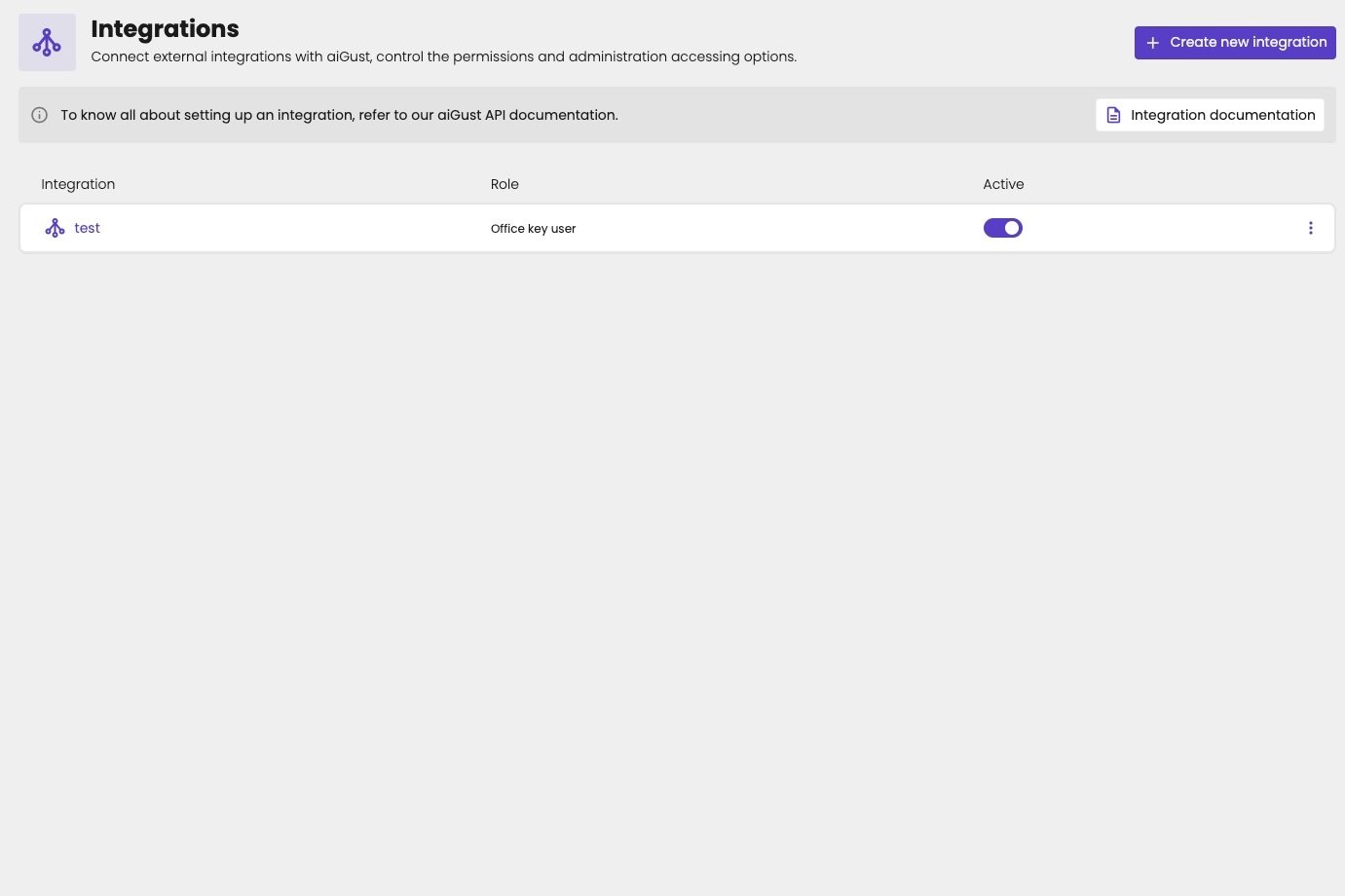
The integrations of a firm.
- Profile: change the Name and the Role, and click Save. Under Credentials, you can copy the Client ID and the Client Secret again. Click Reset to rotate the secret, for example when it leaked. The client ID stays the same. Then update the secret in your software.
- Administration access: by default, the integration has access to all administrations. Click Customize access to choose the ones it may see (Allowed) or may not see (Blocked). This works as for a user. See Restrict administration access.
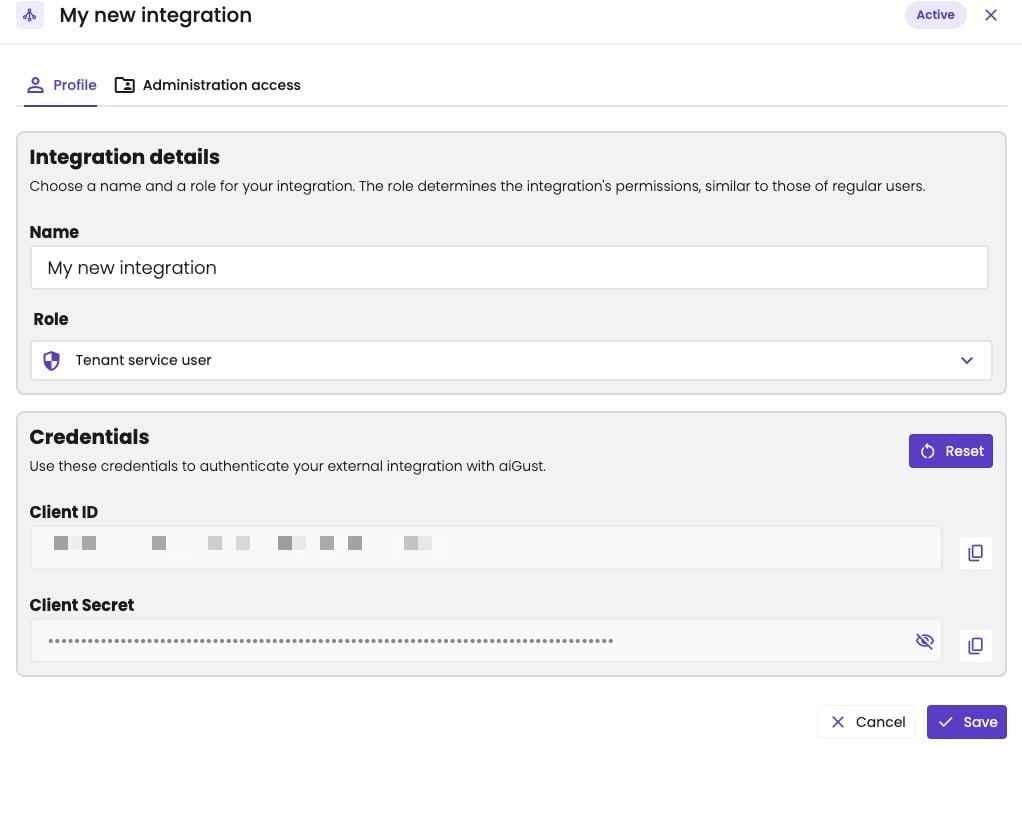
The Profile tab: the name, the role and the credentials of an integration.
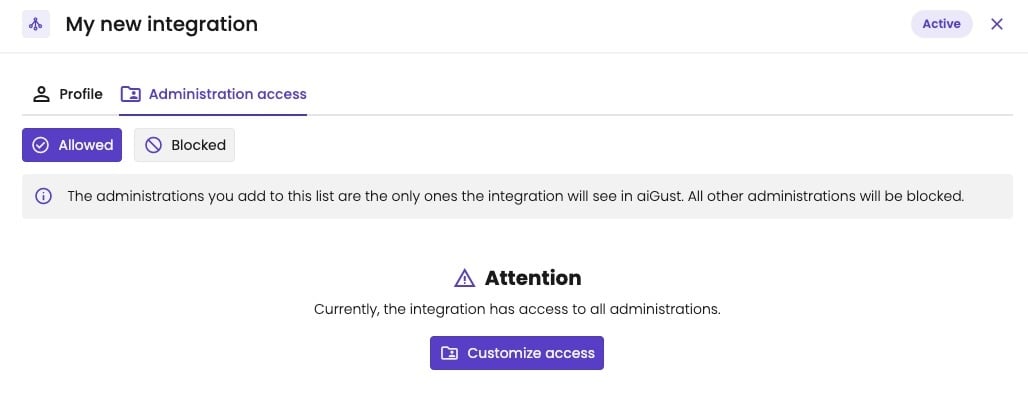
The Administration access tab: by default, the integration sees all administrations.
Request an access token
Post the client ID and secret to the token URL of the environment, asx-www-form-urlencoded:
Each environment has its own integrations and credentials: a client ID from production doesn’t work on development.
When the token expires
A token is valid for 5 minutes (expires_in, in seconds). There’s no refresh token: refresh_expires_in is 0. When the token expires, request a new one with the client ID and secret, in the same way.
Cache the token and reuse it until it expires. When a call returns 401 Unauthorized, request a new token and retry the call.
What the service user may do
The service user’s role decides what it may do, exactly as for a person with that role. A call outside its permissions returns403 Forbidden. The service user also only sees the administrations it has access to.
Credentials of an upload connector are scoped to that connector. See External data uploads.
Keep the credentials safe
- Store the client secret like a password, on your server. Never put it in a browser app or a mobile app.
- Give the integration the lowest role it needs, and only the administrations it needs.
- Turn off Active for an integration you no longer use.